This integration is being included in my submission to Shelly’s Smart Home Challenge 2025.
Triggering Alarm.com (ADC) Scenes from Home Assistant
This integration aims to trigger scenes configured in the IQ / ADC from home assistant.
Components Utilized
- On the Alarm System side:
- IQ 4 Alarm Panel
- Shelly Wave i4DC
- On the Home Assistant Side:
- Shelly 1 gen 4 (Zigbee mode) (one used in this example, but can use up to 4, one on each SW input on the i4DC)
Design Standards
- Must be all 12v DC to be driven off of common power (for eventual installation in a project box or equipment enclosure
- Uses Zwave and IQ Hardware (or various IQ compatible wireless sensors) for the IQ side
- Uses Zigbee and/or z-wave devices for the Home Assistant Side
Overall Configuration
Part 1: Installing a trigger in Home Assistant
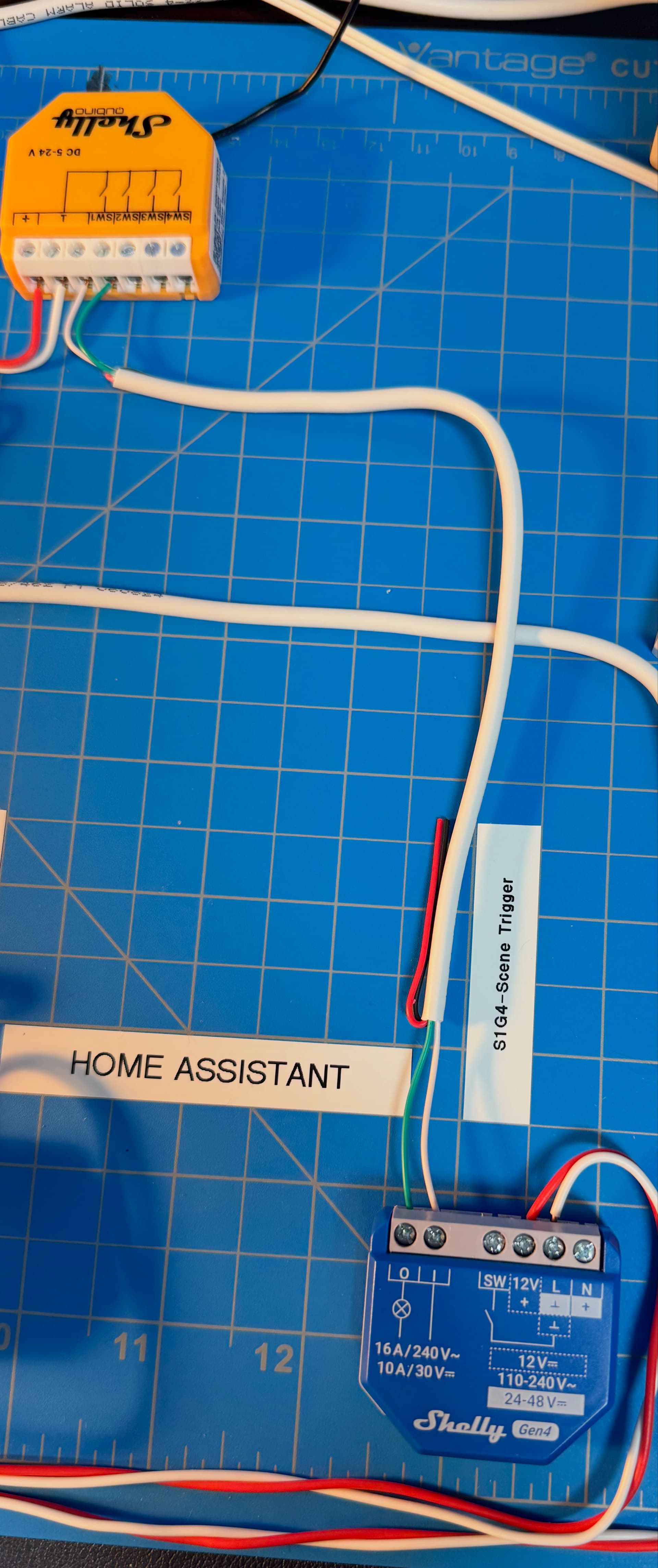
In HA I installed a Shelly 1 Gen 4 in Zigbee mode as the trigger. The dry contacts of this relay are hardwired into the SW 1 input on the Shelly i4DC connected to the IQ panel (see step two below).
Part 2: Installing the wired scene controller in IQ / ADC
On the IQ panel, I installed a Shelly Wave i4DC, which, while not on the list of approved devices for the IQ or ADC, does appear to function!
In ADC, the i4DC is recognized both as a scene controller and a set of 4 switches. The switches can be ignored, and in the IQ 4, can be hidden as endpoints. What we really leverage is the scene controller aspect, which functions.
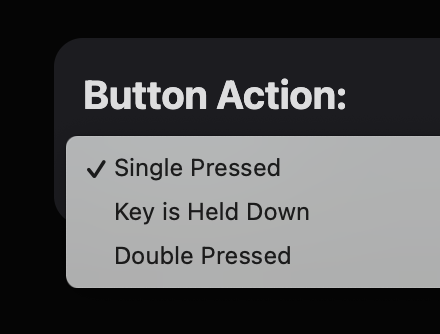
ADC recognizes three types of scene controls on each of the 4 inputs on the i4DC. This means that, in theory, we can drive up to 12 different scenes in ADC with a single i4DC !
Part 3: Creating the triggers
At this point we need HA to drive the three button actions:
- Single Press
- Double Press
- Key is Held Down
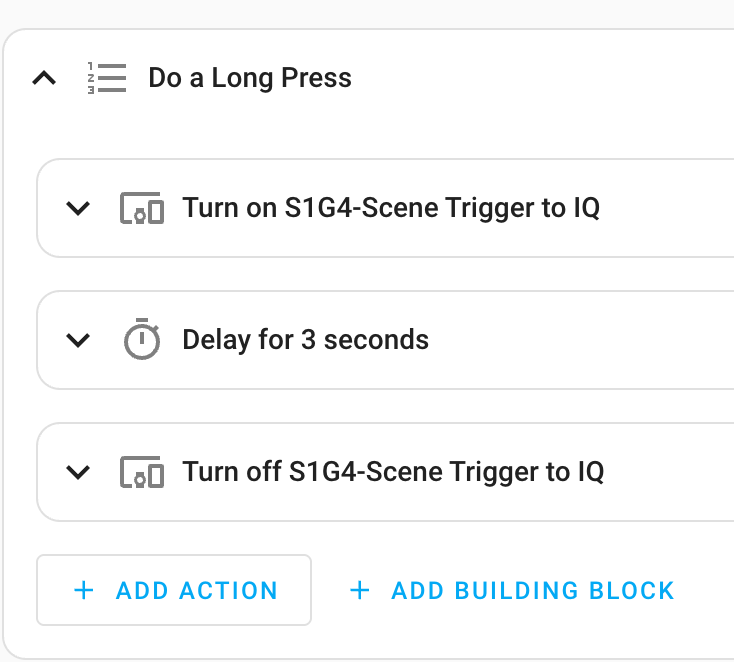
I setup scripts in HA to do each of these actions, so I can call them later as needed from automations. The most complicated was the double press, but I got it working with a very short inserted delay of 1 ms for each click, and between the two clicks. This really got the physical relay to work as fast as possible and seemed to be properly recognized in all my tests.
For the single press, I used a 1ms delay between on and off.
For the long press, I used a 3 second delay between on and off.
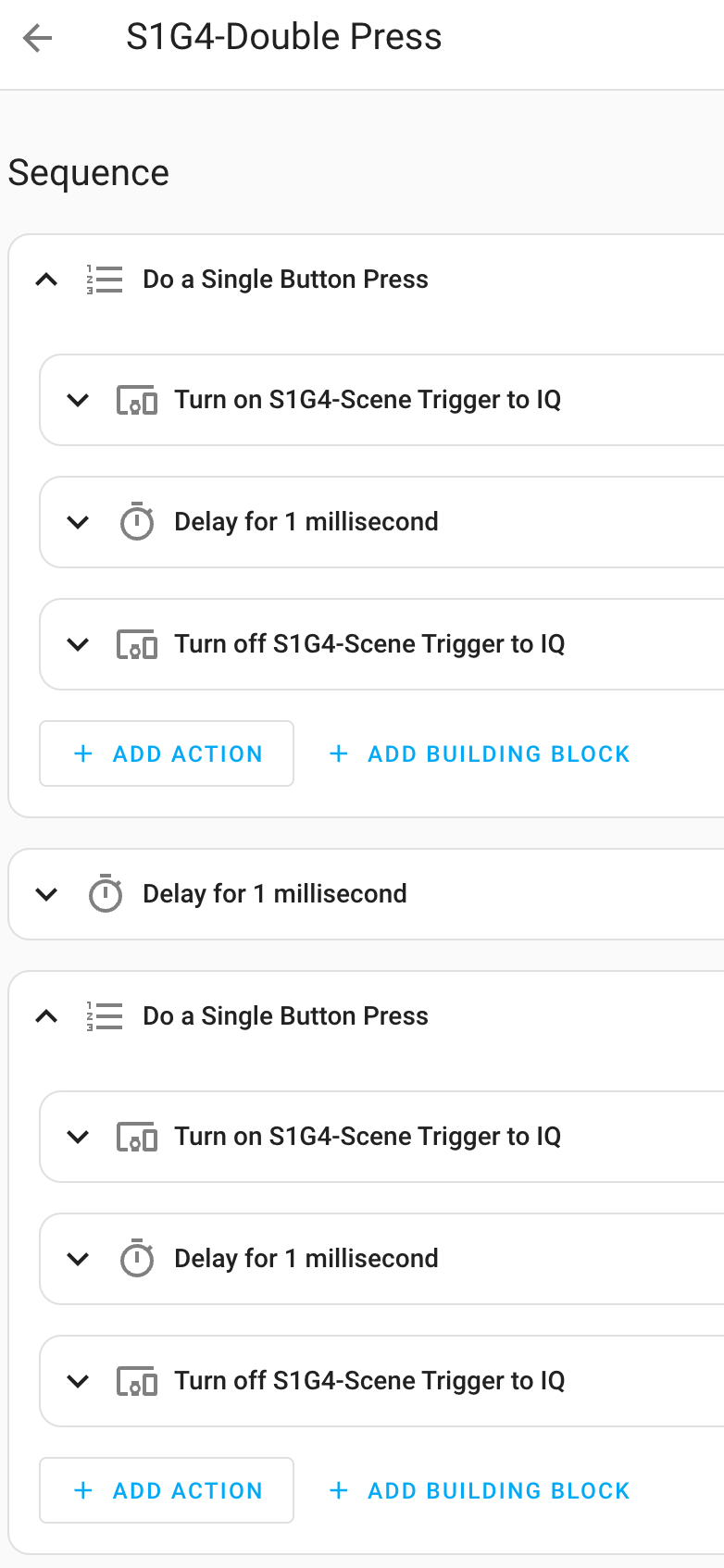
Single and Double Presses:
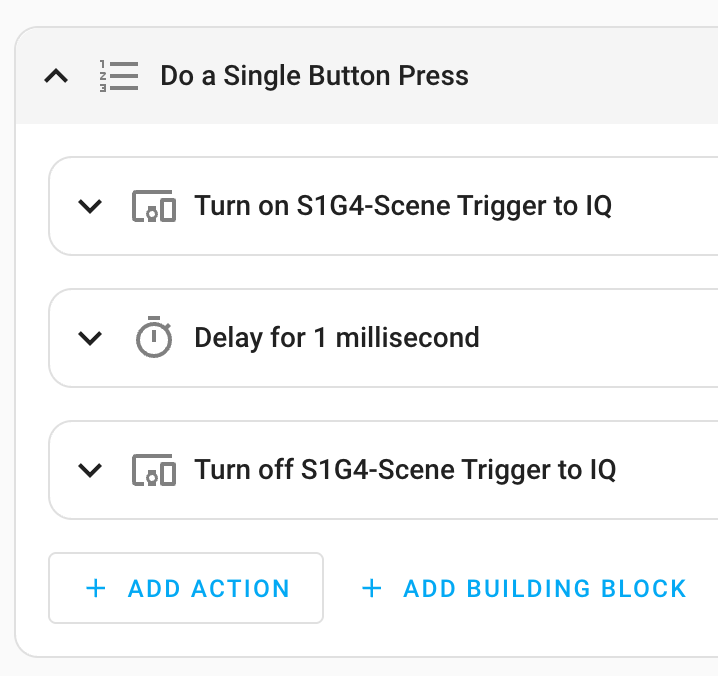
Part 4: Creating the scenes and testing
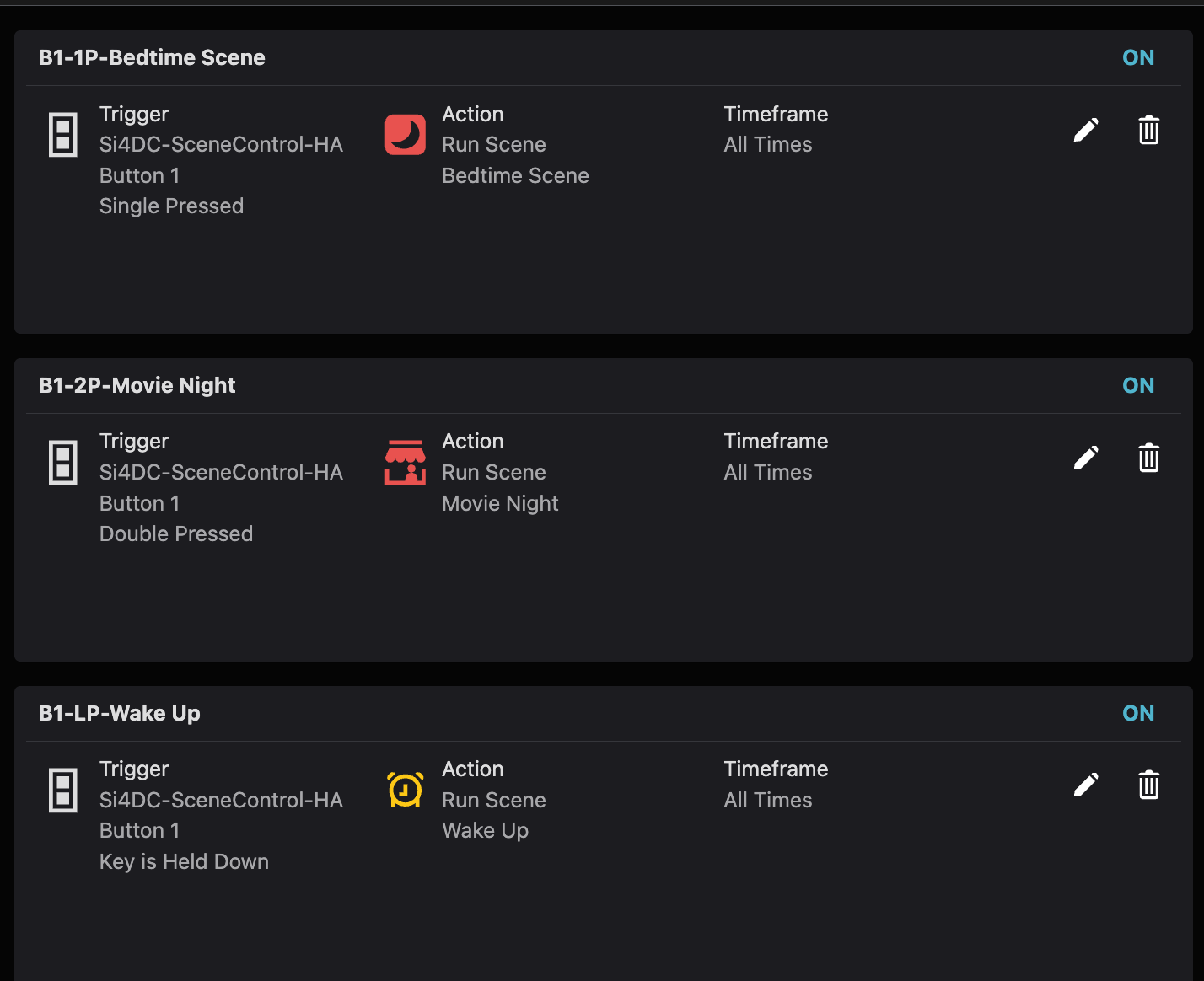
In ADC I created a few scenes that leveraged these triggers and tested. All worked very well! For those of you familiar with ADC scenes, they tend to have some level of delay, but overall tend to be rather quick (1-3 seconds) and these scenes behaved similarly.
Note about arming / disarming
So, in my other integration post I hardwired a relay into the Hardwire 16 on a zone configured as a Keyfob to triggering arming and disarming. It is absolutely possible to use scenes for that as well using the method described in this article. I really am just showing both ways of doing this, since one or the other may have more applicability to your use case.
Part 5: Why do this?
This is aimed at situations where you might have home automation spread across Home Assistant (or another home automation platform) and your IQ / ADC environment. In my case, I have a number of Zigbee devices in HA, but almost all of my z-wave is on the IQ since it is heavily integrated into actions that happen on my ADC cameras and Alarm sensor events.
For fun, I setup a Zigbee button (third reality) and can trigger these ADC scenes from the button. To grow on top of that, the scenes and actions triggered from HA allow me to blend actions from other Zigbee devices into the same scene. I’ll have a demo video of this coming out shortly which shows some of this blended automation.